Remote Desktop 88.1.82.445
Publisher Description
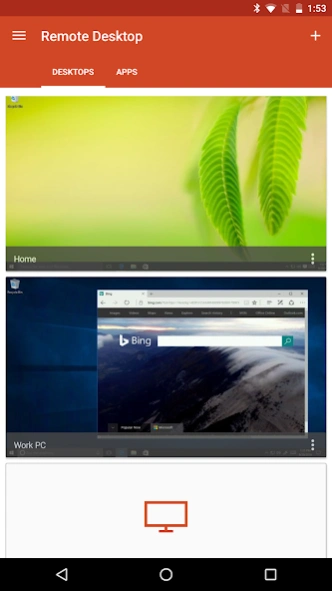


Microsoft Remote Desktop provides remote access to Windows desktops and apps.
Use the Microsoft Remote Desktop app to connect to a remote PC or virtual apps and desktops made available by your admin. With Microsoft Remote Desktop, you can be productive no matter where you are.
Getting Started
+ Learn how to use Microsoft Remote Desktop at https://aka.ms/rdanddocs.
+ Learn about our other Remote Desktop clients at https://aka.ms/rdclients.
+ Submit feedback at https://aka.ms/rdandfbk.
Features
+ Access remote PCs running Windows Professional or Enterprise and Windows Server
+ Access remote resources published by your IT admin
+ Connect remotely through a Remote Desktop Gateway
+ Rich multi-touch experience supporting Windows gestures
+ Secure connection to your data and applications
+ Simple management of your connections from the Connection Center
+ High-quality video and audio streaming
Permissions
This app requires certain permissions to use features in the app. These are enumerated below.
Optional access
[Storage]: access authority is required to access local drives and documents from the Remote Desktop session when the Redirect local storage feature is enabled.
About Remote Desktop 8
The company that develops Remote Desktop 8 is Microsoft Corporation. The latest version released by its developer is 8.1.82.445. This app was rated by 16 users of our site and has an average rating of 2.6.
To install Remote Desktop 8 on your Android device, just click the green Continue To App button above to start the installation process. The app is listed on our website since 2021-04-26 and was downloaded 826 times. We have already checked if the download link is safe, however for your own protection we recommend that you scan the downloaded app with your antivirus. Your antivirus may detect the Remote Desktop 8 as malware as malware if the download link to com.microsoft.rdc.android is broken.
How to install Remote Desktop 8 on your Android device:
- Click on the Continue To App button on our website. This will redirect you to Google Play.
- Once the Remote Desktop 8 is shown in the Google Play listing of your Android device, you can start its download and installation. Tap on the Install button located below the search bar and to the right of the app icon.
- A pop-up window with the permissions required by Remote Desktop 8 will be shown. Click on Accept to continue the process.
- Remote Desktop 8 will be downloaded onto your device, displaying a progress. Once the download completes, the installation will start and you'll get a notification after the installation is finished.
Program Details
System requirements
Download information
Pricing
Version History
version 8.1.81.435
posted on 2021-04-26
Removed support for subscribing to Windows Virtual Desktop (WVD) remote resource feeds. Install the new Remote Desktop app (https://aka.ms/rdand) to connect to WVD managed resources.
version 8.1.82.445
posted on 2021-04-26
- Fixed issue where images appear as characters
- Added pop-up to inform users that this application is no longer supported by Microsoft
version 8.1.80.431
posted on 2020-10-12
Changed the client icon to distinguish it from the new client currently in preview.
Prepared the client to support settings and connections transfer to the new client.
version 8.1.79.421
posted on 2020-05-26
Fixed an issue where barcode scanners didn't work.
version 8.1.77.417
posted on 2020-02-11
Improved accessibility for users of keyboard-only navigation.
version 8.1.76.413
posted on 2020-01-13
Minor bug fixes and improvements.
version 8.1.75.406
posted on 2020-01-09
- Fixed an issue where some Remote Resource Feed URL didn’t load.
- Improved accessibility for users of keyboard-only navigation and TalkBack.
version 8.1.74.397
posted on 2019-08-17
Fixed a crash when connecting to servers which send Proprietary Certificates.
version 8.1.71.387
posted on 2019-06-05
- Fixed an issue where remote resources of the same name didn’t show correctly.
- Updated the app icon.
- Minor bug fixes and improvements.
version
posted on 2017-11-20
We fixed an issue where some users couldn't connect to a saved desktop that was created from an RDP file.
